Redesigning the RavenDB Setup Wizard: A UX Journey to Simplicity
Highlights
- The RavenDB Setup Wizard was redesigned to simplify database onboarding and reduce configuration friction.
- A guided step-by-step UX with progress tracking and real-time validation helps users complete setup faster.
- Built with the RavenDB design system, the new wizard offers clearer guidance, reduces errors, and provides a smoother first experience.
RavenDB is an open-source document database known for its high performance and user-friendly management Studio GUI. When new users meet our product for the first time, their journey begins with Setup Wizard – a critical entry point that brings their database into action.
The setup and onboarding experience is where users form their first impression – it sets the tone for everything that follows. A clear, intuitive start builds trust, removes friction, and helps users realize value faster.
However, we’ve been hearing feedback for some time regarding usability hurdles and the lack of specific solutions. We decided to take a hard look at those pain points, and that’s why we knew it was time for a major upgrade.
Here’s how we transformed RavenDB’s setup experience to welcome users with clarity and ease.
The Challenge: Outdated and Overwhelming
Every redesign starts with understanding what’s wrong with the status quo. Through user research, support feedback, and our own experiences, we uncovered several issues with the original RavenDB Setup Wizard. In short, the old wizard was functional but far from optimal in guiding users. Some of the core challenges we identified were:
- Cluttered & overwhelming UX: Setting up a database is complex, but the old wizard wasn’t helping enough – it overwhelmed users with lengthy text and technical jargon. Instead of guiding users step by step, it presented a lot of information at once, making an already complex process feel even more daunting.
- Lack of guidance: Several steps in the wizard, like security settings, required specific inputs or choices without sufficient explanation. Users (especially those new to RavenDB) often felt unsure about which option to pick or what values to enter. Ironically, even though the wizard had plenty of text, it still failed to provide clear guidance where it mattered.
- External distractions: We observed that users frequently had to leave the wizard mid-process – for example, to generate a license key on our website or to look up documentation about a configuration setting. These detours disrupted the flow, caused frustration, and increased the chance of mistakes.
- Unfriendly error handling: If a user made a mistake, error messages were easy to miss and hard to decipher. Errors might appear as plain text buried in the form, and users weren’t sure how to fix the problem.
- No progress tracking: Users had little indication of how many steps were left or what they had already configured. There was no progress indicator or summary page. This meant users couldn’t easily go back to review or change earlier inputs, nor see the “big picture” of their setup decisions before finalizing.
In short, the user experience was not living up to RavenDB’s standards. Our goal was set: make the setup smoother, more intuitive, and less error-prone. Next, we’ll walk through how we tackled this challenge step by step.
Our Process: From Discovery to Delivery
We tackled these challenges methodically, grounding our decisions in solid user research.
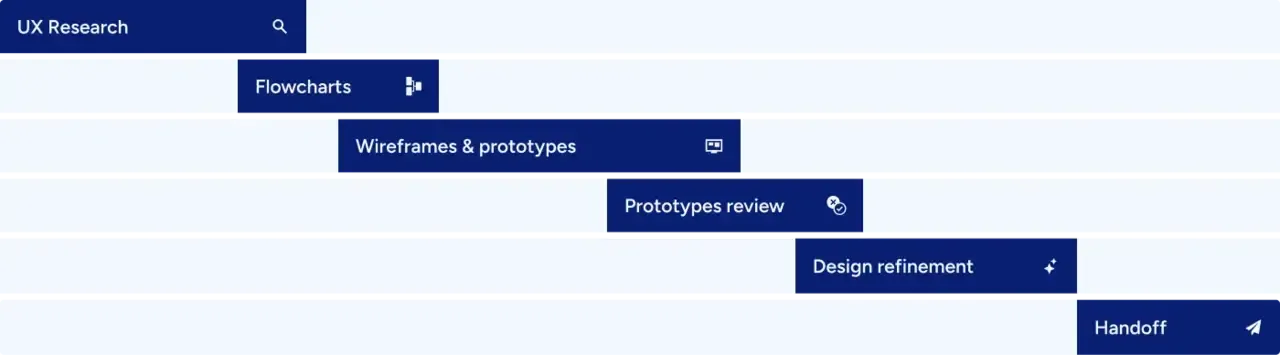
Understanding the Problem
To begin, we performed a competitive analysis and hosted usability sessions to audit our existing wizard. We aimed to gather all crucial insights and maintain a broad perspective.
Interviews and usability studies with developers and support team exposed repeated pain points. This was an eye-opening part of the process (and admittedly, a humbling one). We watched users struggle at certain points and talk aloud about their confusion.
We collected both qualitative feedback (quotes, pain points, suggestions) and quantitative data (task completion rates, time on each step, error frequency). One surprising metric: every single participant hesitated or made an error on the Node Addresses step – reinforcing that this was indeed the most critical (and fragile) part of the journey.
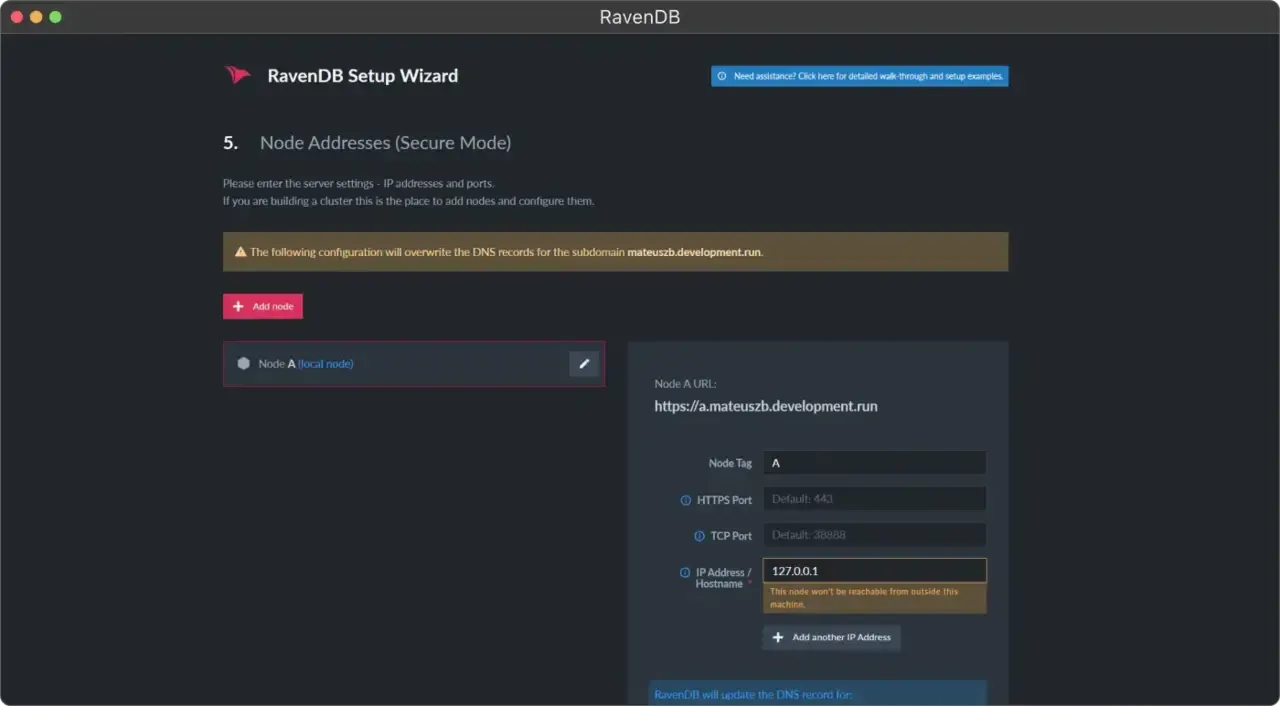
Our analysis also revealed room for improvement. Many competing database systems rely on command-line setups. This makes our wizard a notable distinction, but it also creates a responsibility: if we provide a UI, it must be polished. We identified valuable patterns from other products, particularly cloud services, that could guide our enhancements.
Rethinking the User Journey
Before diving into UI details, we needed to rethink the wizard’s structure at a high level. We asked ourselves: How would we organize the steps if we were designing this from scratch?
We identified opportunities to reorder or combine steps to make the journey more logical. By integrating license generation directly into the wizard, we’ve minimized external disruptions. Additionally, options for more advanced users have been separated from the core steps to avoid overwhelming users. A final summary step was added, allowing users to easily review and eventually adjust their choices.
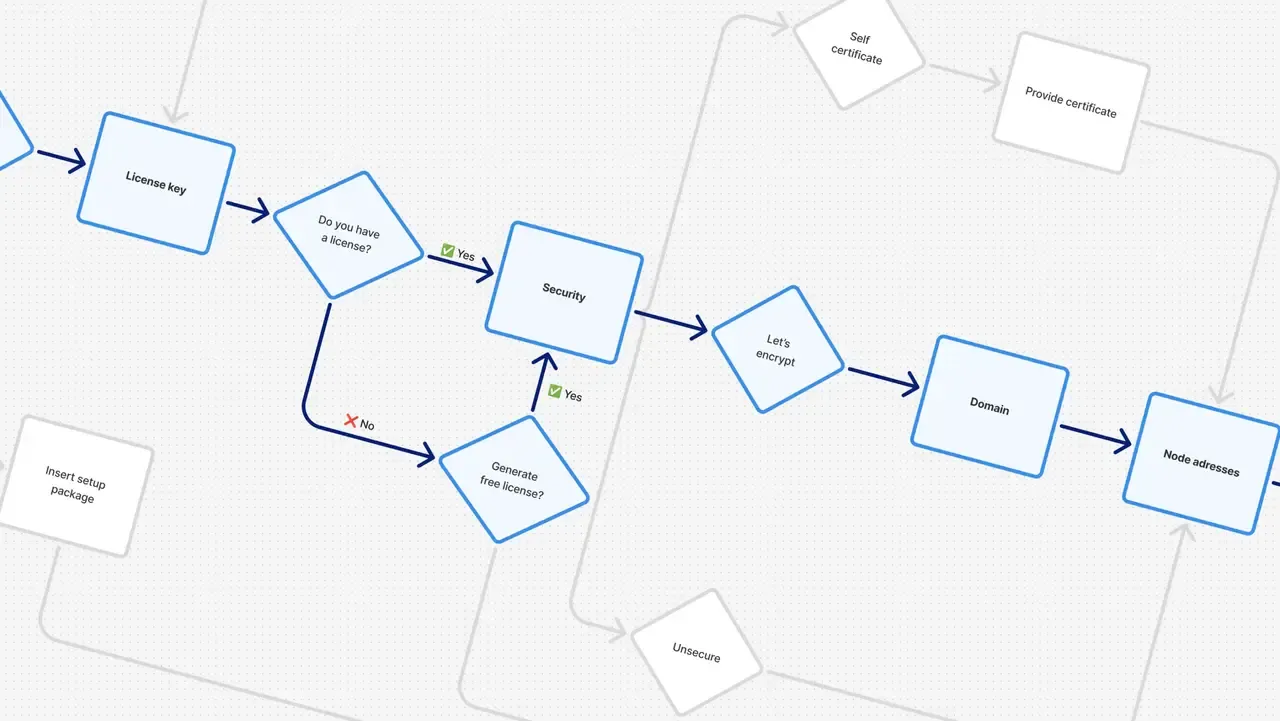
Bringing Ideas to Life: Wireframes and Prototypes
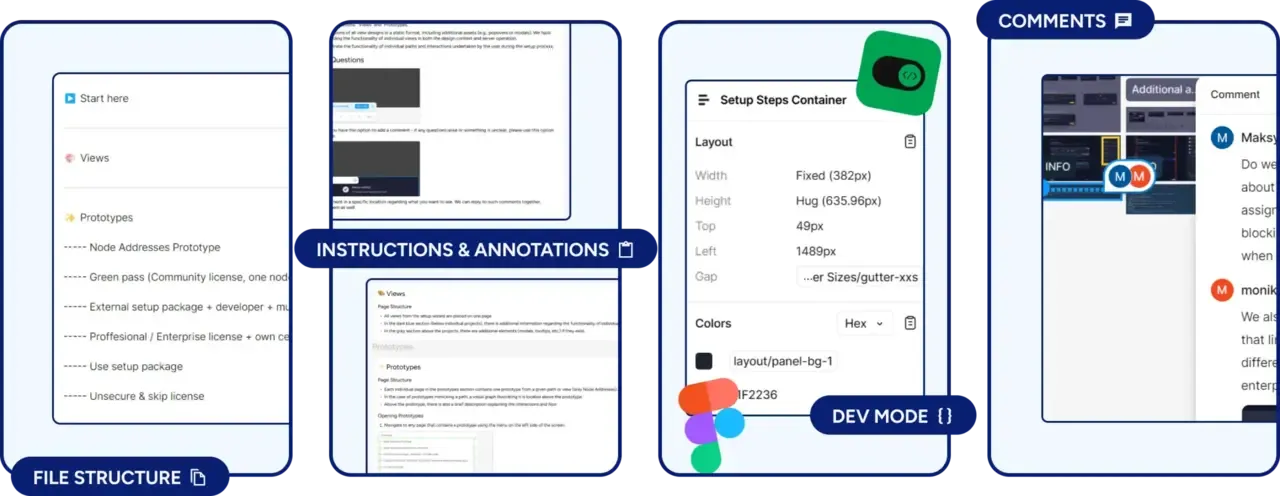
We transformed these flow ideas into tangible wireframes and interactive prototypes using our design system in Figma. Prototyping multiple user journeys (such as single-node setups or complex clusters) helped us anticipate real-world scenarios and fine-tune interactions.
- We prepared prototypes with clear guidance and instructions, allowing participants to review them at their own pace.
- Later, we received messages with improvement suggestions or had quick calls to discuss their experiences and recommendations.
- Based on their input, we refined the designs and made just a few small adjustments to enhance the overall experience.
Check the Figma prototype by yourself: https://ravendb.net/l/FMVZB4 🔗
Handoff & Collaboration with Front-End Developers
To smoothly pass our designs to development, we structured our Figma files clearly – annotating components, screen behaviors, and user interactions. Regular check-ins and open collaboration ensured developers had clear guidance, minimizing misunderstandings and accelerating implementation.
Key UX Improvements: Simpler, Smarter, Better
The redesigned Setup Wizard now guides users intuitively, focusing on simplicity and efficiency. Here are the main enhancements we delivered:
- Clear progress indicator: The new interface features a persistent right-hand sidebar that lists all the steps of the setup process, from start to finish. This acts as a progress bar and navigation menu in one. Users can see at a glance where they are, which steps are completed, and what’s coming up next.
- Concise text and helpful tooltips: We gave UX writing a lot of love in this redesign. Every bit of instructional text was rewritten to be shorter, clearer, and more approachable. We also integrated helpful tips and descriptions directly into the wizard. Users no longer have to leave the wizard to figure out concepts or remember documentation by heart – the help is right there when they need it.
- Contextual documentation links: While we strived to make the wizard self-contained, we acknowledge that some advanced scenarios may require deeper explanation. For these cases, each step now prominently offers a link to the relevant RavenDB documentation page.
- Improved error handling (prevention & recovery): Nobody likes errors, but we can’t ignore them – a typo in an IP address, a missed required field – especially in a complex setup. We tackled this on two fronts. First, error prevention: the form validates inputs in real time and provides hints before the user proceeds. Second, if an error does occur, the messaging is much clearer and more visual. The goal is that if users stumble, they can recover quickly and continue rather than get stuck or frustrated.
- Consistency & familiarity: We built the new wizard using our existing design system and common UX patterns that users might recognize from other modern apps. For the development team, this consistency ensured that implementing the new wizard was efficient (we weren’t reinventing basic components, just reusing them).
All of these UX improvements contribute to a setup process that is significantly more user-centric than before. In the old wizard, users often felt like they were battling a tool; in the new one, the tool behaves like a friendly guide or co-pilot. Every design decision – from content to layout to interaction – was made with the question, “How does this help the user succeed in setting up RavenDB?” If it didn’t clearly help, it didn’t make the cut. The result of these changes is a wizard that not only looks cleaner, but actually works better for the people using it.
Outcome: Improved UX, Happier Users
After weeks of research, design, and iteration, what does RavenDB’s new Setup Wizard look like in practice, and what benefits does it bring? The final product is a modern, polished wizard that we’re proud to put in front of both new and experienced users. It transforms the first-run experience of RavenDB Studio into something welcoming and efficient.
- A smoother first experience: New users installing RavenDB for the first time can now breeze through the configuration. Users should be able to get RavenDB up and running faster, with fewer errors made along the way. And if they do encounter an issue, they’re better equipped to solve it themselves without calling support.
- Design system wins & collaboration: Another positive outcome of this project was the reinforcement of our design system and cross-team collaboration practices. By building the wizard with pre-existing design system components, we ensured a cohesive look and feel with the rest of the application. If the wizard is your first step, you’ll find the rest of Studio consistent. This helps users acclimate faster – the other parts of RavenDB Studio feel familiar with what you just saw.
In summary, the project’s outcome is a vastly improved Setup Wizard that benefits everyone, from new users to the most experienced developers. It’s a small part of the overall RavenDB product, but an immensely important one, and now it’s aligned with our mission to make database management easier for all.
Reflections
Every project is a learning opportunity, and the Setup Wizard redesign was no exception. Looking back on our journey, we have several reflections on what went well and what we could do even better next time.
What Made the Difference
First, user-centric research pays off. Investing time at the start to truly understand user pain points was invaluable. It guided our decisions at every step and ensured we were solving the right problems. This project reinforced that especially in a technical domain like database setup, you can’t assume you know what users need.
We leveraged the power of iterative prototyping to refine complex flows effectively. By simulating real user journeys with interactive prototypes, we caught issues early and gained confidence in our solution before writing any code. Additionally, our emphasis on collaboration was a big win. Bringing developers, support reps, and other stakeholders into the process early made the final implementation much smoother.
On a process note, trying new tools (like the transcription and AI note-taking services) showed us ways to work smarter by turning hours of manual note-taking into more automated insights we could act on quickly.
Opportunities for Improvement
For future projects, establishing better instrumentation early on would provide deeper, more actionable insights throughout the process. We also see value in expanding the diversity of testing participants to capture a wider range of perspectives, especially from those less familiar with similar tools or workflows.
On our research journey, we also learned that some commonly used methodologies weren’t well-suited to the specifics of our product. Refining our approach a bit and avoiding unnecessary deep dives could accelerate the process.
Final Thoughts
Revamping the RavenDB Setup Wizard wasn’t just about improving screens – it was about reshaping a critical first impression. With research-driven, thoughtful UX design, we’ve crafted a smoother onboarding experience that serves as a solid foundation for RavenDB’s continued growth.
As Steve Jobs famously said, “good design isn’t just about how something looks or feels, it’s about how it works“. We genuinely believe our new Setup Wizard stands as a testament to that belief.
Frequently Asked Questions
What should users do if they need more help during a specific setup step?
The setup steps now feature concise text and helpful tooltips built directly into the interface. Furthermore, for advanced scenarios, each step provides a contextual link to the relevant RavenDB documentation page for deeper explanation.
Can I see an example or prototype of the new RavenDB Setup Wizard design?
Yes, the UX team created an interactive Figma prototype to simulate user journeys and refine interactions. You can explore the prototype yourself using this link:
How did the design team fix the issue of users needing to leave the wizard to get a license key?
The development team integrated license generation directly into the wizard’s workflow to minimize external disruptions. They also added a final summary step so users can review and adjust their choices before finalizing the setup.
Woah, already finished? 🤯
If you found the article interesting, don’t miss a chance to try our database solution – totally for free!