Unlocking The Benefits Of On-Demand Production Database Replication
Highlights
- Production data replication improves testing, performance, and deployment confidence
- Seed data alone isn’t enough to catch real-world issues and edge cases
- ETL enables secure replication with anonymization and filtering of sensitive data
Why providing easy replication of production data for Developers, QA, and DevOps matters, and how to go about it.
Ensuring downstream environments retain parity with production is a widely accepted best practice.
However, the importance of having up-to-date production-quality data in these environments is often overlooked. That is, until a production outage occurs that could’ve been prevented had production-quality data been available.
At RavenDB, we prioritize helping customers establish an on-demand production database replication strategy, as we know from experience how much value and protection it provides.
This article explores why most companies fail to replicate production data, how production data in staging and beyond adds business value, mitigating common data privacy concerns, and your options for replication to ensure downstream environments stay up-to-date.
With this knowledge, you’ll understand why on-demand replication of production data is essential and what to consider when choosing a replication strategy.
Why production data replication fails to be implemented
Most teams fail to prioritize the implementation of production data replication as they’re unaware of the immense value it can provide to the business.
It’s perceived as a nice-to-have because the right use cases and sufficient justification haven’t been presented to decision-makers. If that’s been your struggle, this article will help you build a stronger case.
Even when the need for production data replication is acknowledged, enough resources often aren’t allocated to ensure its effective implementation. For example, having production data in staging is of little value if it’s only updated every few months.
Granted, replication of production data is no easy task.
For example, most database systems lack adequate tools for anonymizing and filtering data — essential for maintaining data privacy and security. RavenDB includes these tools as standard, addressing the primary concern that makes production data replication seem too hard or risky.
We acknowledge there are operating environments where replicating production data will be incredibly difficult or impractical due to scale, extreme data sensitivity, or regulatory compliance. But chances are, that’s not you.
Another reason production data isn’t replicated is the common belief that seed data alone will suffice. Let’s examine why this isn’t true.
Why seed data isn’t enough
Seeding a database populates it with initial data, often used as the foundation for testing and development. While predictable data can be important for testing, relying purely on seed alone is far from sufficient.
Because without production quality data:
- How do you know if the seed data and schema are an accurate representation of the production database?
- Can you reproduce a production issue resulting from unexpected user-supplied data?
- Can you quantify the impact of a performance-sensitive configuration or query change without production data volume?
- Can you be sure that a schema change or migration will apply successfully in production?
- Can you be sure you’ve handled all possible edge cases without the richness and variedness of production data?
Because seed data tends to be a fraction of the production data volume size, results from stress and load testing are unreliable as operations on smaller datasets can behave differently to production-sized data sets.
Seed data also struggles in simulating real-world usage, as users will always find ways of creating unanticipated issues due to the data they create. That’s why production data is the best way to build confidence in your CI/CD pipeline and pre-deployment testing.
While the downsides of relying on seed data may be obvious to those in development, testing, and product development roles, it might not be clear to others. Therefore, never assume knowledge when explaining to the business why production data replication is essential.
Even better — include evidence of when past production issues could’ve been caught prior to deployment had production data been available in downstream environments.
Now that we’ve established why seed data alone is insufficient, let’s move on to why production data is needed more in more environments than staging alone.
Why production data is needed beyond staging
In most organizations, staging is the only environment with production-quality data. However, it’s often woefully outdated due to the manual and ad-hoc processes for refreshing it.
Implementing an automated solution for replicating production data to staging, whether on-demand or scheduled, is essential. This ensures staging is a more accurate representation of production and provides a reference solution for replication to other environments.
Most businesses limit production data replication to staging alone, which is a mistake. With appropriate controls and configuration, production data can and should be made available to any business unit that can benefit from it.
What benefits does having production data beyond staging provide?
- Code quality increases due to developers having real-world data during development.
- Test quality and confidence increase as more edge cases are discovered from production data.
- DevOps Engineers and Database Administrators can more accurately evaluate configuration changes and optimizations at production-scale volumes.
- On-demand environments can be spun up as needed, such as reproducing production issues or testing database server upgrades without impacting staging.
- Data Scientists and Business Analysts can execute resource-intensive queries without time window limitations or performance impact concerns.
- System load and stress testing are more likely to surface issues.
The ability to replicate production data on-demand to any environment offers numerous benefits and capabilities that make it worth the investment.
Next, we’ll provide an overview of the three types of data replication so you can make an informed decision as to which strategy best suits your needs.
Choosing a data replication strategy
When it comes to database replication, you’ve typically got three options:
- External Replication
Allows real-time replication from a source to a target database instance. - ETL (Extract, Transform, Load)
Extracts, transforms, then loads data in real-time from the source to its target — typically a database server or data lake/warehouse. It allows data to be anonymized and filtered during the transformation stage. - Dump/Restore (also referred to as ‘Export/Import’)
Imports an entire database from an exported file. Unlike External Replication and ETL that automatically receive updates in real-time — the Dump/Restore process must be repeated each time replication is required.
Let’s explore each replication strategy to provide more detail on the pros and cons of each and the trade-offs to consider.
External Replication
External Replication enables real-time replication of data from one database server to another, providing a mechanism for continually synchronizing data from a production to a failover location or to downstream environments. Replication can also be paused and resumed later, for example, if needing to freeze the database state for testing or evaluation.
As a background process is used on the source server for streaming updates, the potential impact on production performance should be considered. However, this is usually only a concern during the initial replication phase when the entire database needs to be synced.
External replication is best used when real-time access to data from production is required but is only suitable if no anonymization or data filtering is required.
For a detailed guide on setting up External Replication, click here.
ETL
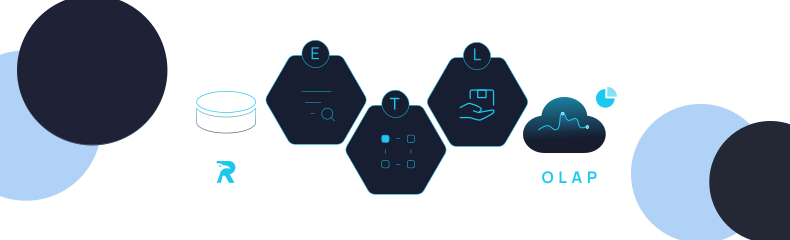
ETL is a three-stage process for Extracting, Transforming, and Loading data, usually into a data warehouse for business intelligence and analytics use cases.
ETL, like External Replication, provides real-time data replication, so the same resource consumption considerations for production performance apply. It also supports pausing and resuming replication.
What makes ETL uniquely suited for replicating production data to downstream environments, is that the Transform step allows you to anonymize and filter your data during the replication process. RavenDB provides powerful built-in transformation capabilities thanks to JavaScript support for ETL scripts.
For step-by-step instructions on configuring ETL with data transformation and anonymization, click here.
Dump/Restore
Dump/Restore (or Export/Import) is the process of importing an entire database from a single exported backup file. The key benefit with Dump/Restore is that you’re starting from a fresh copy of the database every time, especially important for testing when test cases rely on the existence of specific data.
Dump/Restore is perfect for when real-time replication is not required and the database is free of customer and sensitive data, removing the need for an anonymization and filtering step.
The downside is that because it’s a large one-time operation, an automated process outside the database must be configured so data is continually replicated on a scheduled and on-demand basis.
Learn how to use Dump/Restore (Export/Import) for transferring data between environments here.
The challenges of replicating production data
Considerations for implementing production data replication
Replicating production data can be challenging without easy to use built-in tooling, with DevOps teams and database admins often needing to build custom solutions. For example, replicating data from PostgreSQL in production using ETL (Extraction, Transform, Load) will require a custom script or commercial solution as no built-in tools are provided.
That’s why RavenDB provides comprehensive tooling, capable of handling any replication scenario.
Database replication is not without cost. Budget for computing resources capable of running production-scale workloads and staff responsible for setting up and monitoring database infrastructure must be allocated. Because additional cloud and human resources are required, it’s essential to create a strong business case articulating the benefits that production data will provide in downstream environments.
Once infrastructure-related hurdles are overcome, attention shifts to security and privacy concerns — focusing on how customer and other sensitive data may need to be transformed or excluded. While any replication approach will work in the absence of sensitive data (e.g. if tables/collections are excluded entirely), ETL is the only approach for anonymizing and filtering data during replication.
Using RavenDB’s built-in tools as a reference, let’s explore a simple yet effective approach to anonymizing and filtering production data.
Anonymizing data
Anonymization transforms original values, such as credit card numbers, into new, randomly generated versions that still retain their validity and format.
It’s performed during the transformation phase and before replication to ensure sensitive data never reaches a downstream environment
For example, RavenDB customers can use JavaScript for anonymizing document values from exported collections as part of the ETL configuration process:
const fieldsToHide = ['SSN', 'CC', 'Passport', 'Email'];

function anonymize(doc) {
  for (let i = 0; i < fieldsToHide.length; i++) {
    const field = fieldsToHide[i];
    if (field in doc) {
      doc[field] = '*'.repeat(doc[field].length);
    }
  }
  return doc;
}
loadTo(‘Users’, anonymize(this));
While other database systems will usually require external scripting or commercial tools to achieve anonymization, the process for data transformation will be similar.
Anonymization allows you to maintain customer privacy, meet regulatory obligations such as GDPR compliance, and eliminate sensitive or confidential data from leaving production environments.
But sometimes, data should not be exported at all. That’s where filtering comes in.
Filtering data
Filtering removes data where either anonymization isn’t appropriate, or the data isn’t needed or useful. Filtering provides another layer of protection while also optimizing the replication process and data storage requirements in downstream environments.
Whether filtering results in a subset of data being retained or excluded altogether should be assessed on a case-by-case basis. This should be done thoughtfully and as needed to keep replicated data as close to that in production as possible.
In RavenDB, filtering data is also achieved using JavaScript to exclude documents from collections in the ETL pipeline:
// Filtering ETL Script
// This script filters out documents based on specified criteria

if (this.Status in ["Archived", "Inactive"])
    return; // Exclude documents with archived status or inactive type

loadTo('Employees', doc);
Data anonymization and filtering are vital tools for transforming and excluding data to meet the business requirements needed so production data replication can occur.
Summary
Well done for making it to the end!
You’ve now got a solid grasp on the issues a lack of production data causes, how to mitigate data privacy and volume size challenges using anonymization and filtering, and which of the three data replication strategies will work best for your operational requirements.
We hope the benefits of having on-demand replication of production data for any environment inspire you to make it happen at your workplace.
For RavenDB customers, check out our comprehensive data replication user guide which explores in greater detail how to implement the replication solutions discussed in this article.
Setting Up External Replication
Overview of External Replication
External Replication is an ongoing task that replicates data from one RavenDB cluster to another, allowing developers and testers to work with real-world data in a controlled setting. This feature is particularly valuable for scenarios requiring real-time access to production data, ensuring that staging environments remain up-to-date.
When to Use External Replication
External Replication is ideal for scenarios where:
- Real-time data availability is required.
- Exact 1:1 data replication is sufficient without anonymization or filtering.
- Minimal configuration changes to production settings are desired.
Considerations
- Resource Consumption:
External Replication is a background process that consumes additional resources on the source server. In many circumstances, this might not be an issue, but it is a factor that should be considered. If resource consumption is a concern, consider using the Import/Export technique as an alternative.
- Data Scope:
External Replication focuses solely on database data at the time of writing this article, excluding cluster-level features such as Compare Exchange values, Subscriptions, Cluster Transactions*, etc. (For further insights into what is replicated, refer to the documentation here). Therefore, if your application uses Compare Exchange values, for example, those values will not be transferred to the staging environment. If any cluster-level features are required in staging, then Import/Export is a suitable alternative.
* Note that documents stored using Cluster Transactions will eventually be stored in the database and replicated through External Replication and RavenDB ETL.
Data Security:
If anonymization or filtering is required, consider using ETL to RavenDB or Import/Export instead. These methods allow you to employ a dedicated transform script to ensure sensitive data is handled appropriately. Additionally, Hub/Sink Replication offers another option, although it is beyond the scope of this article. You can find more information about it here).
Step-by-Step Setup
- Set up a destination RavenDB cluster for staging
- Log in to your RavenDB Cloud account.
- Create a new cluster with settings that match your source production environment.

- Download the certificate and access the Studio
- Download the certificate for the staging cluster, then access the RavenDB Studio for both environments.
- Configure the staging database
- Create a new database in the destination staging environment with configurations that match the source production database.

PRO TIP:
You can easily match the staging environment configuration with the production one (e.g., Revisions settings, Expiration settings, etc.) by exporting the database record from the production database and importing it into the staging environment. To export the database record, select only the “Include Configuration and Ongoing Tasks” option when exporting the database in the Export Database view in the Studio.
- Pass the certificate from the source to the destination
- Transfer the certificate from the source cluster to the destination cluster to establish trust. Refer to this guide for detailed instructions.


- Set up the External Replication task
- Define an External Replication task in the source production environment to replicate data to the staging cluster. Further information is available here.
- Configure conflict resolution and replication settings as needed.

- Begin testing
- Validate that the replicated data accurately reflects the production environment.
- Test various scenarios to ensure functionality and address any discrepancies.
Note:
- Keep in mind that once test data in the staging environment is modified (e.g., updated or deleted), it no longer mirrors the source. If data integrity is crucial, consider creating another replica for these changes. To do so, initiate a new replication task.
Setting Up RavenDB ETL
Overview of ETL
ETL (Extract, Transform, Load) is an ongoing process that allows data extraction from the source, transformation (such as anonymization and filtering), and loading into the staging environment. RavenDB’s built-in JavaScript engine provides powerful customization options for ETL scripts.
When to Use ETL
- When data needs to be anonymized or filtered for compliance or security.
- For real-time or near-real-time data synchronization.
- When exact 1:1 replication is not required.
Considerations
- ETL focuses on database data only, excluding cluster-level features such as Compare Exchange values, Subscriptions, Identities, Index definitions, and others.
- Resource consumption is higher due to the transformation process.
Step-by-Step Setup
- Set up a destination RavenDB cluster for staging
- Log in to your RavenDB Cloud account.
- Create a new cluster with settings that match your source production environment.

- Download the certificate and access the Studio
- Download the certificate for the staging cluster, then access the RavenDB Studio for both environments.
- Configure the staging database
- Create a new database in the staging environment with configurations that match the source production database.

- Pass the certificate from the source to the destination
- Transfer the certificate from the source to the destination cluster to establish trust. Refer to this guide for detailed instructions.


- Set up the RavenDB ETL task
- Go to Tasks > Ongoing Tasks and choose Add a Database Task > RavenDB ETL.


- Define the task name and create a new connection string with the destination details. Then, add transform scripts and save. You can find more details on the ETL Task here.
* Ensure that you customize the ETL script according to your specific requirements, such as data transformation, filtering, or anonymization.
Sample ETL Scripts
Anonymization Script:
You can customize the ETL script to anonymize sensitive information before loading data into the destination. For example, you can replace sensitive fields, such as Social Security numbers or passport numbers, with placeholder values:
function anonymize(doc) {
  if (doc.SSN) doc.SSN = "XXXXX";
  if (doc.PassportNumber) doc.PassportNumber = "XXXXX";
  return doc;
}

loadTo('Users', anonymize(this));
Filtering Script:
To exclude specific documents from the ETL process, you can apply filtering conditions. For example, the following script prevents documents with an “Archived” status or an “Inactive” type from being loaded:
if (this.Status === "Archived" || this.Type === "Inactive") return;

loadTo('Employees', this);- Begin testing
After setting up the RavenDB ETL task, begin testing in the staging environment. Verify that the data transfers correctly and follows the defined transformations and filters. Test various scenarios to ensure data integrity and application functionality. Since ETL provides ongoing data synchronization, monitor the process periodically to address any potential issues and ensure the reliability of your staging environment.
Notes:
- Revisions are not sent by the ETL process. However, if revisions are configured on the destination database, a revision will be created as expected in the destination database when the target document is overwritten by the ETL process.
- When the provided ETL script is empty, Counters, Time Series, and Attachments are transferred automatically. However, if the script contains custom transformations or filters, special handling or adjustments may be necessary to ensure the transfer of these data types. For more details, visit the following links for ETL to RavenDB for Attachments, Counters, and Time Series.
Exporting/Importing Data for Staging
Overview of Export/Import
Export/Import transfers data from the production environment to staging using a .ravendbdump file or direct migration. It is a one-time process, ideal for minimizing resource consumption and ensuring full isolation.
When to use Export/Import
- When Compare Exchange values or other cluster-level features need to be included.
- For one-time transfers without ongoing synchronization.
- When minimizing production resource usage is a priority.
Note:
Data filtering and anonymization can be achieved in several ways. For instance, you can exclude non-relevant or sensitive collections during the export/import process by simply omitting them from the export/import options. Another approach is to anonymize data by setting a transform script. This script can exclude sensitive documents or fields, such as users’ passwords. For more details about advanced export/import options and transform scripts, refer to the advanced export options and advanced import options documentation.
Step-by-Step Setup: Export/Import via file
Export production data
- Navigate to Tasks > Export Database in the production environment Studio and export your production database to a .ravendbdump file. Various export options are available, including exporting specific collections, excluding attachments/counters/time series/revisions, and more. You can explore these options here.
Import to the staging environment
- In the staging environment Studio, go to Tasks > Import Database and import the .ravendbdump file exported in the previous step. Similar import options are available, as in the export process. You can find more information here.
Note:
If Ongoing Tasks are configured on the production database, they will be automatically created in the staging database but will be disabled by default. You can control which tasks are imported by configuring the Import Options > Advanced > Customize Configuration and Ongoing Tasks in the staging database.
After the import process is complete, you can start testing in the staging environment. Verify that the data was imported correctly and perform various operations to ensure functionality. Keep in mind that this method provides a one-time transfer of data, so any subsequent changes in the production environment will not be automatically reflected in the staging environment. Therefore, it’s essential to plan periodic updates or refreshes of the staging data to maintain its relevance for testing purposes.
Step-by-step Guide: Import from RavenDB Server
Instead of importing data from a .ravendbdump file, you can also import data directly from an existing database on a live RavenDB server.
Migrate the data from the production server to the staging environment
- Navigate to Tasks > Import Database in the staging environment Studio and select the From RavenDB Server tab. Enter the production server URL and the production database name, then customize the options as desired (refer to the instructions provided here).
Upon completion of the migration process, begin testing in the staging environment. Verify that the data migration was successful and validate your application’s functionality. Since this method involves a one-time migration, any changes made in the production environment afterward will not be automatically synchronized. Consider establishing a process for periodic updates or refreshes of the staging data to ensure its accuracy for testing.
Frequently Asked Questions
How does RavenDB ensure high availability for production databases?
RavenDB ensures high availability through Replication, an ongoing background task that automatically keeps your database clusters continuously in sync.
What happens to my critical background database tasks if a node in my replicated cluster fails?
RavenDB utilizes cluster-wide, auto-failover tasks. This means that essential operations, such as periodic backups, ETL integrations, and data subscriptions, automatically shift to a healthy node and continue running without interruption.
Can I guarantee data consistency when writing to a distributed, replicated cluster?
Yes, RavenDB supports cluster-wide transactions, which provide partition-tolerant ACID (Atomicity, Consistency, Isolation, Durability) writes across the entire cluster.
Woah, already finished? 🤯
If you found the article interesting, don’t miss a chance to try our database solution – totally for free!