Discover all the things you can do with RavenDB
Check out the dev hub, read some docs, or hear from our customers.
Learn about us, what we’re building today, and where we’re going tomorrow
Paweł Lachowski is a technical writer at RavenDB, focused on writing articles and GitHub announcements.
Highlights Use RavenDB Queue ETL to implement the transactional outbox pattern without complex application code. Ensure invoice data and events stay consistent across databases and message queues. Publish events automatically to Kafka or RabbitMQ using RavenDB’s durable ETL pipelines. Distributed systems and their…
Highlights Use RavenDB OLAP ETL to move operational data into analytics systems automatically. Transform transactional data into Parquet format optimized for OLAP workloads. Send scheduled data batches directly to destinations like Amazon S3 without building a separate pipeline. Operational Data to Insight There comes a moment…
Highlights The RavenDB Ansible Collection adds new automation capabilities for database operations and cluster management. New modules support health checks, encrypted database creation, and connection string automation. DevOps teams can now automate index configuration, rolling index deployment, and node joins in secured…
Highlights Use RavenDB’s built-in Elasticsearch ETL to sync data without custom integration code. Transform and send documents directly to Elasticsearch indexes in a controlled, incremental pipeline. Maintain existing ELK or search workflows while reducing integration complexity and operational overhead. Seamlessly Integrate RavenDB…
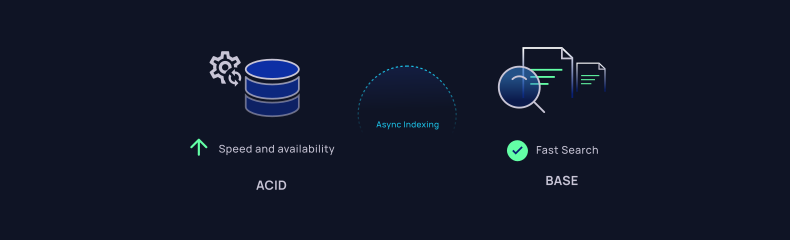
Highlights RavenDB indexes update asynchronously to maintain high write performance and availability. Query results may be temporarily stale while indexes process new data in the background. Developers can control query freshness using WaitForNonStaleResults or session-level settings. To Wait or Not to Wait: Practical Examples of…
Highlights Launch RavenDB fast using AWS Marketplace with full control over your environment Secure your instance by limiting inbound rules to your IP during setup Use SSH port forwarding to connect locally to your RavenDB server There are many ways to run and manage RavenDB. Every one of them has different characteristics and might…
Highlights CVE-2025-55315 enables request smuggling to bypass authorization in .NET apps RavenDB blocks the exploit using mutual TLS and strict certificate validation Unauthorized requests fail early with 403, before reaching any database endpoint Automatic Pre-Emption: Why the Malicious Request Failed (Details the result of the…
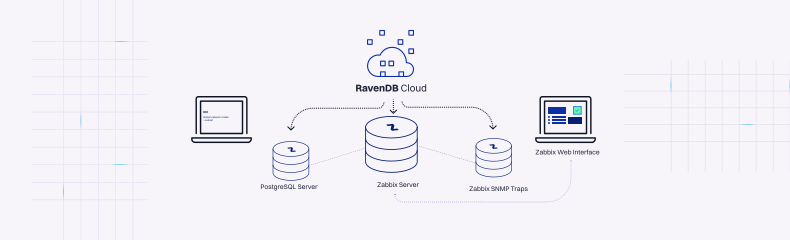
Prerequisites: What You Need Before You Start After setting up RavenDB and watching data flow smoothly between your app and a database, you realize that storing information is only half the story. The other half is keeping it nice and safe. That curiosity leads to monitoring. Tools designed to keep an eye on systems, servers, and networks in…
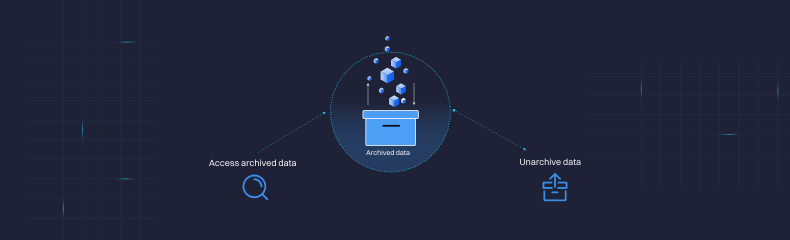
Highlights Use RavenDB Data Archival to keep historical data without slowing down queries. Archived documents are excluded from indexes, reducing query load and improving performance. Maintain compliance while optimizing your system by separating active and historical data efficiently. Achieve Database Performance and Compliance:…
Highlights RavenDB GenAI now works with attachments like PDFs, images, and logs for richer AI context. Build AI-powered workflows like image search, support triage, and resume screening directly in your database. Eliminate external pipelines by bringing AI processing closer to your data inside RavenDB. RavenDB 7.1 introduced a…
Querying in RavenDB is straightforward, regardless of whether you are using automatic indexes or static ones. It enables you to search for specific documents in your collections. Let’s see how to query with ASP.NET and RavenDB, step by step. Highlights Set up a RavenDB connection in ASP.NET Core using IDocumentStore. Create a simple…
Every database has a way of making data easier & faster to find. This role is often fulfilled by indexes. Without them, every request would be like searching through a stack of papers one by one, hoping to stumble on the right page. With them, your queries can quickly jump over to the relevant results, going through compacted entries with only…